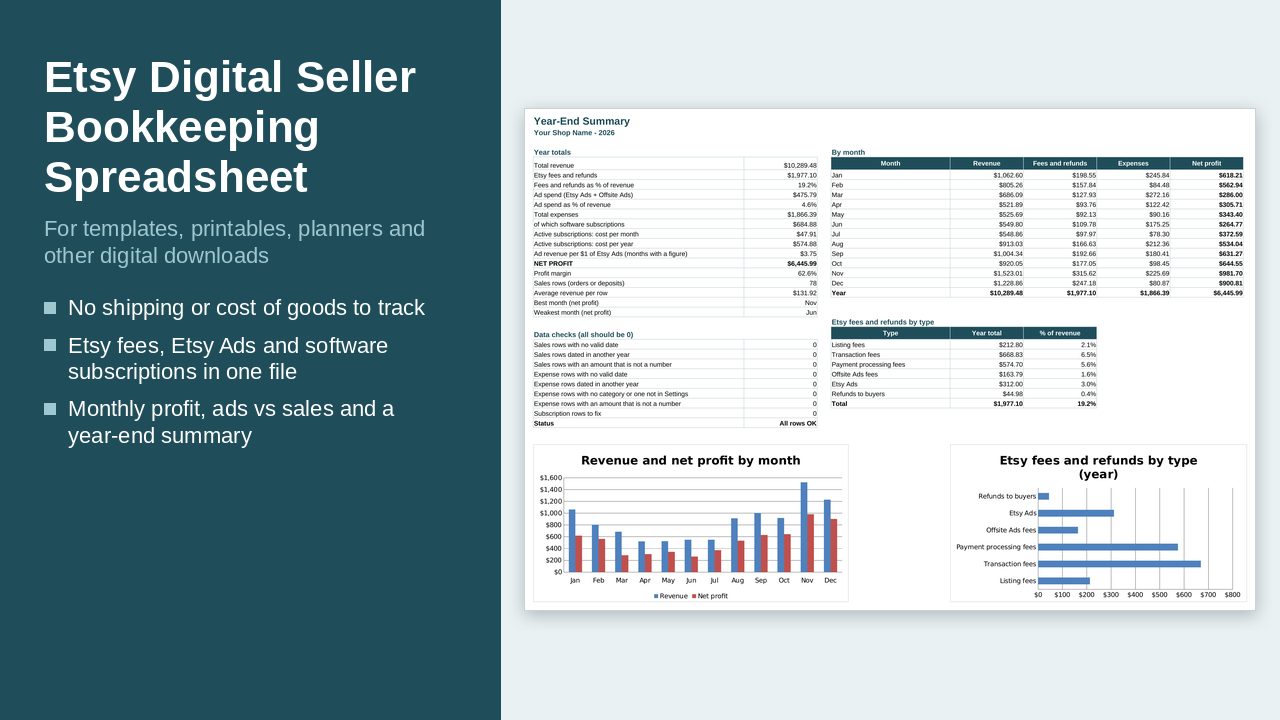
Type your orders, fees, subscriptions and expenses for the year. The file shows your profit month by month, how much you spend on ads against what you sell, and a year-end summary with charts.
What it does
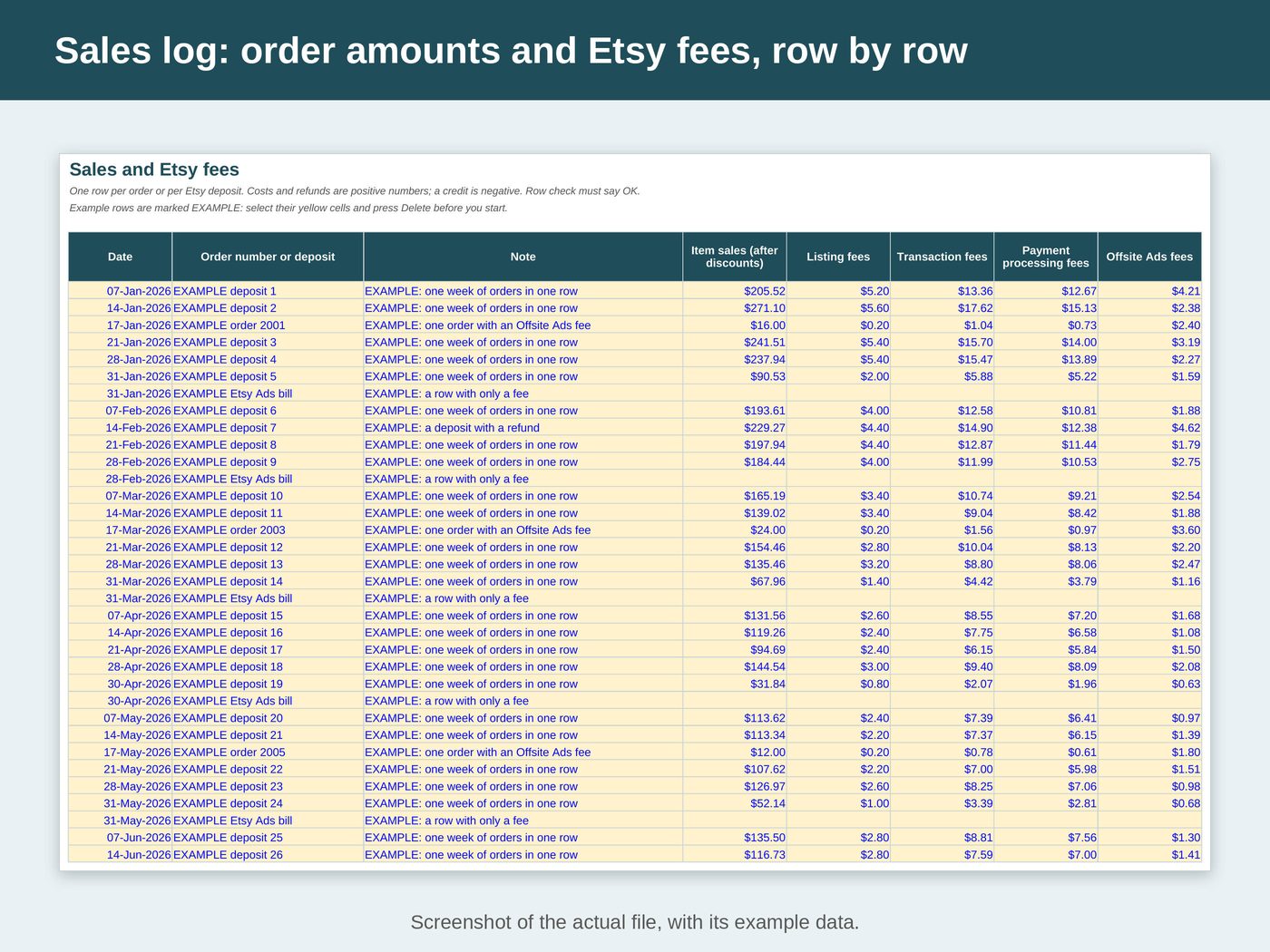
- One row per Etsy order or per Etsy deposit: item sales, listing fees, transaction fees, payment processing fees, Offsite Ads fees, Etsy Ads and refunds
- A row can hold only a fee, for example your Etsy Ads bill
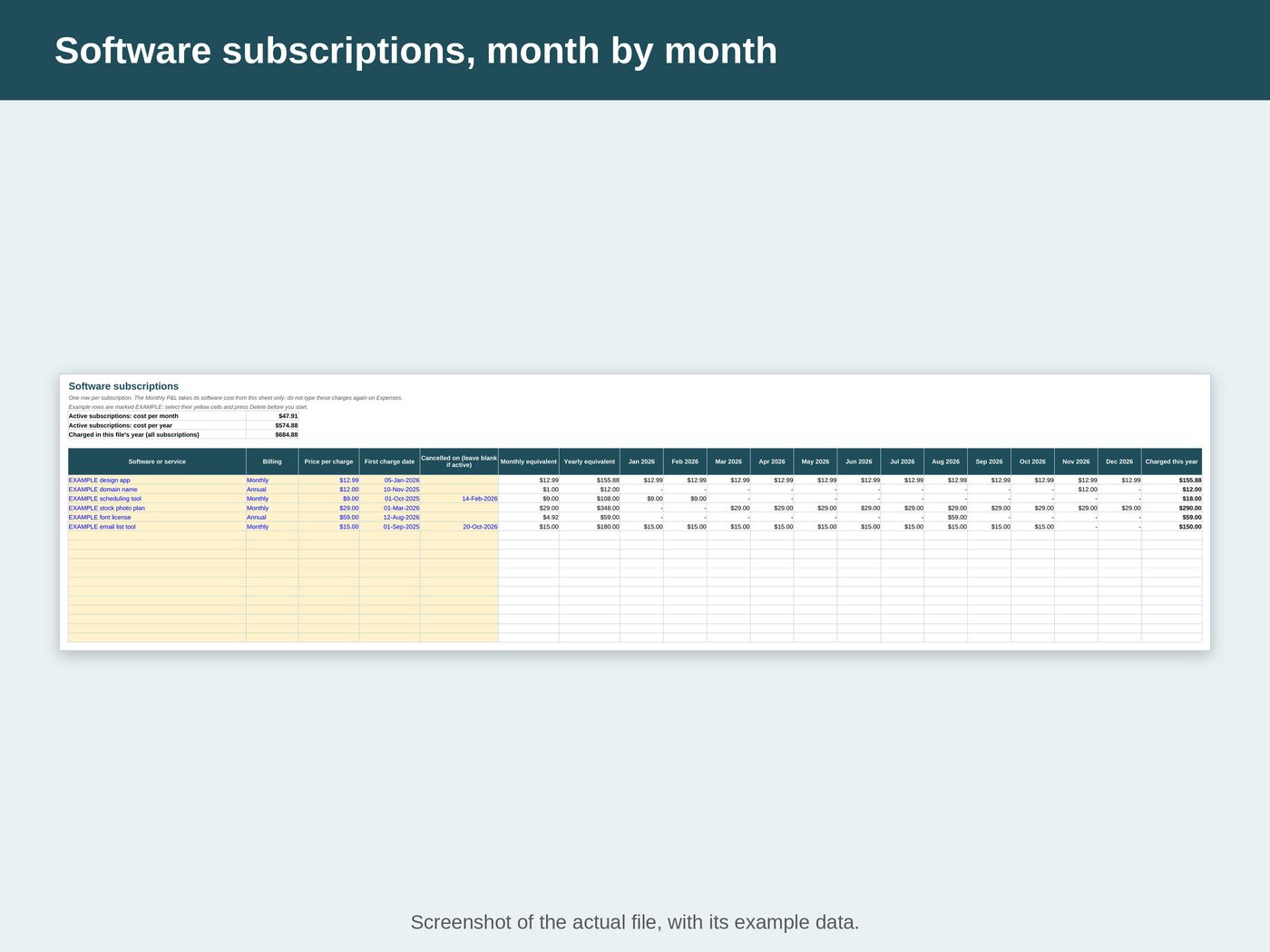
- A software subscription register: type the name, Monthly or Annual, price per charge, date of the first charge and the cancel date if you cancelled. The charges flow into your monthly profit and loss by themselves
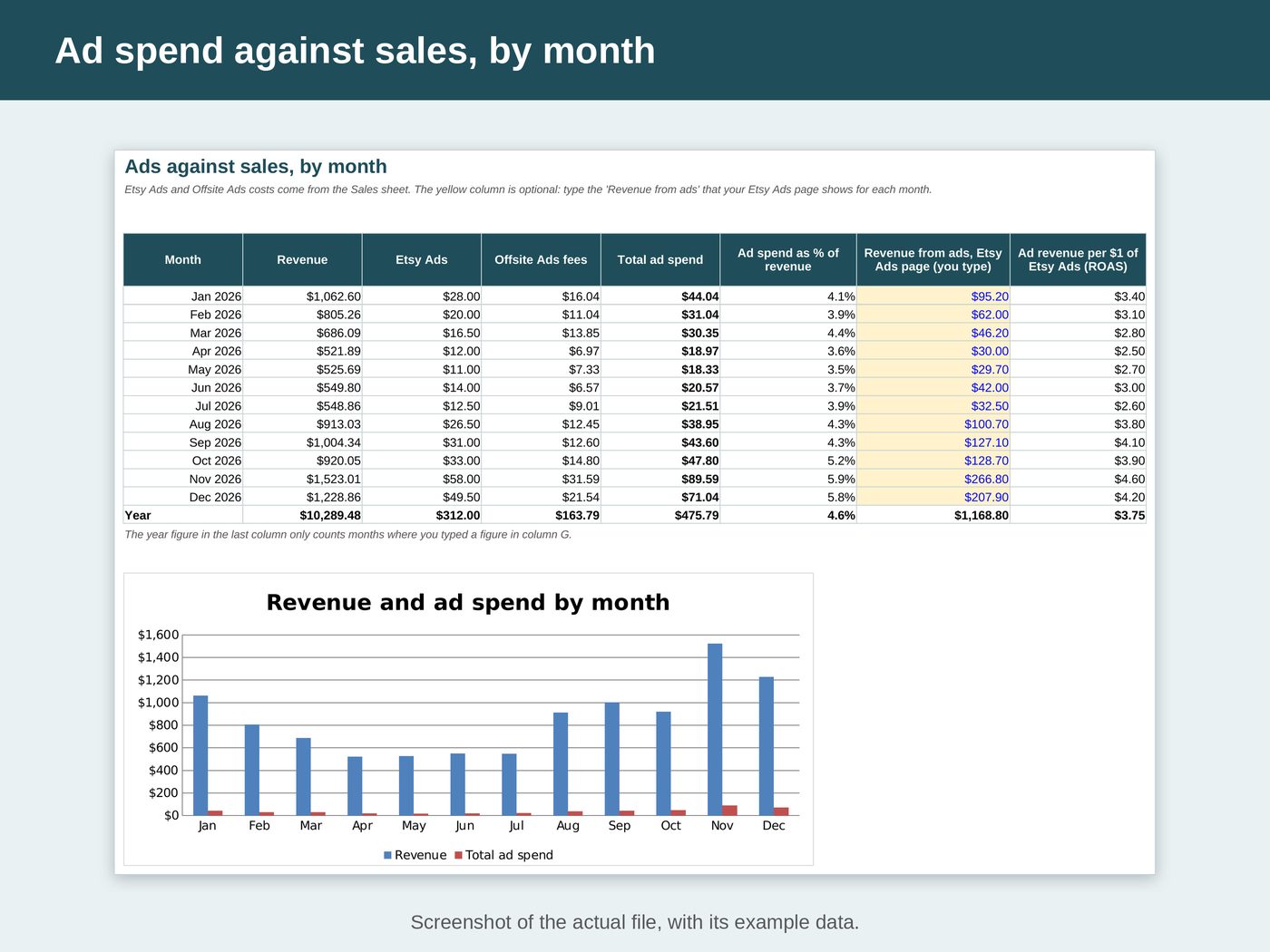
- Ad spend against sales by month. Type the "Revenue from ads" your Etsy Ads page shows and the sheet works out the revenue from ads for each $1 you spent on Etsy Ads (Etsy calls this ROAS)
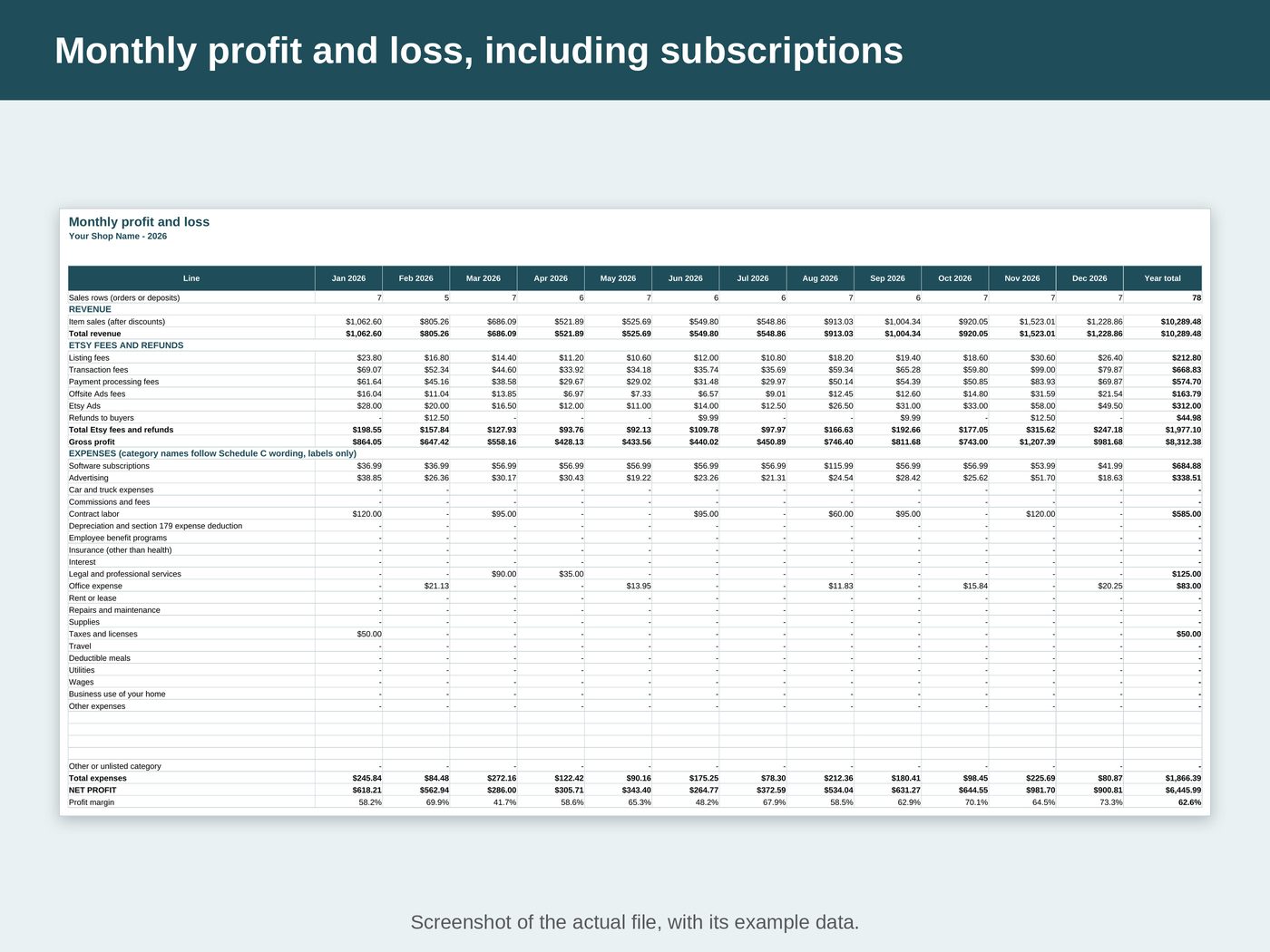
- Monthly profit and loss: revenue, each Etsy fee, subscriptions, each expense category, net profit and profit margin, month by month
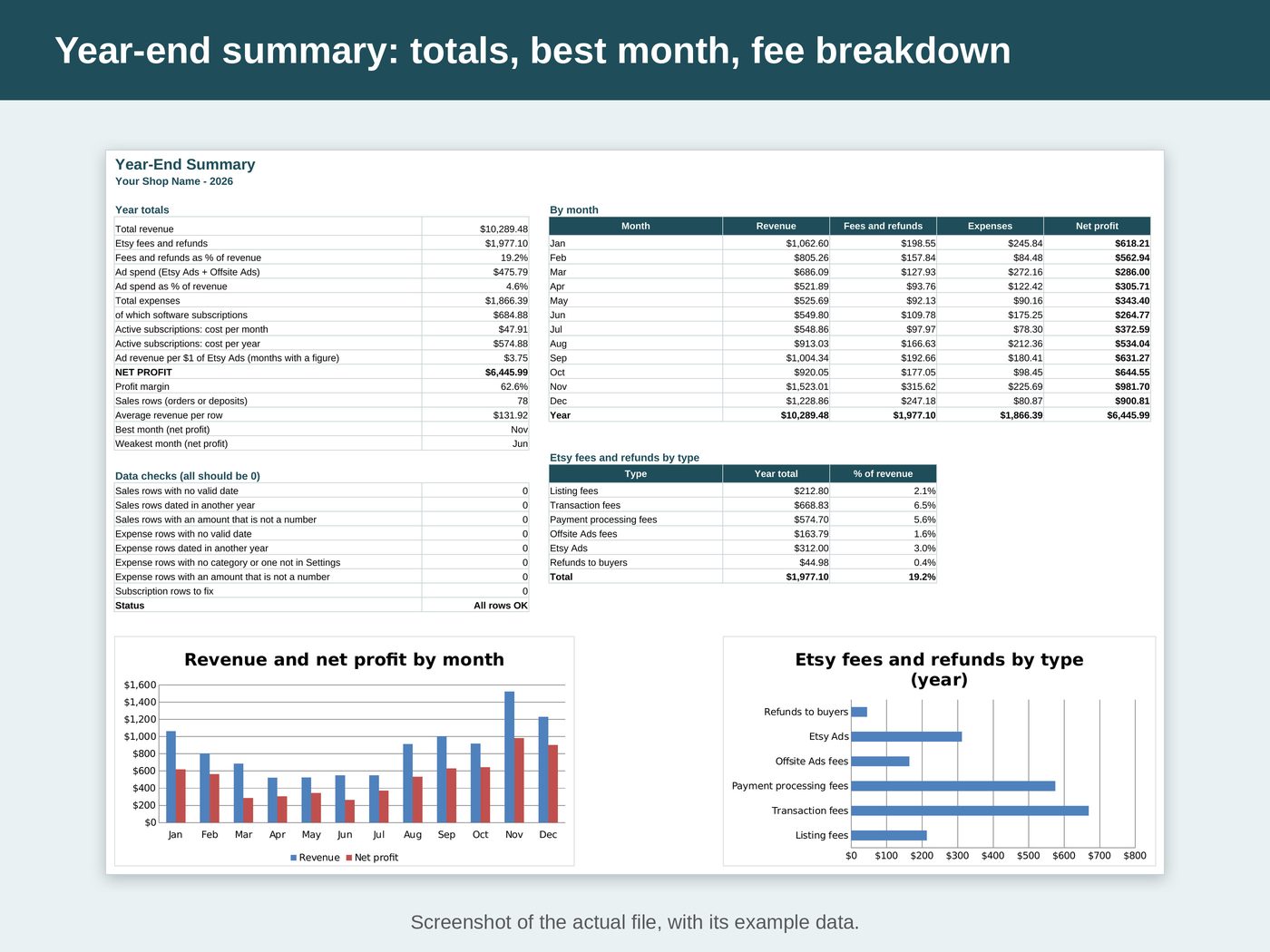
- Year-end summary: year totals, best and weakest month, subscription cost per month and per year, and charts
- A "Row check" column says OK or tells you what to fix, and the summary counts the rows that need fixing
See inside the file
What's inside
- "Start Here": set-up steps, how to read the results and a colour key
- "Settings": the year, your shop name and the expense categories
- "Sales": one row per order or deposit, with the Etsy fee columns
- "Expenses": everything else you paid for, except subscriptions
- "Subscriptions": one row per software subscription, with the monthly equivalent of each
- "Monthly P&L": revenue, fees, subscriptions, expenses and net profit for each month
- "Ads vs Sales": Etsy Ads and Offsite Ads against revenue, month by month, with a chart
- "Year-End Summary": year totals, best and weakest month, data checks and 2 charts
Works with
- Microsoft Excel 2010 or later
- Google Sheets (free): upload the file to Google Drive and open it with Google Sheets
- No macros, no add-ons
Good to know
- The logs hold 2,500 sales rows and 1,500 expense rows with formulas ready, and room for 60 subscriptions. A made-up year of example rows, all marked EXAMPLE, shows how to fill a row; select their yellow cells and press Delete before you start.
- A monthly plan is charged every month from the month of its first charge. An annual plan is charged once a year, in the month of its first charge. A charge in the month you cancelled still counts; later months do not.
- One file per calendar year. Rows dated in another year are not counted.
- White cells are calculated and locked, so formulas cannot break by accident. Sheets are protected without a password if you need to sort a log.
- This file does not import Etsy's CSV downloads. You type the amounts from your Etsy Payment account or your monthly statement, or paste values from a CSV into the yellow cells.
- Etsy fee names follow Etsy Help. Etsy can change its fees: the file never calculates a fee, it adds up the amounts you type.
- NOT TAX ADVICE. This is a record-keeping tool and it calculates no tax. Expense category names follow the wording of IRS Schedule C (Form 1040), 2025 edition, as labels only. A category here does not mean an expense is deductible. Ask a tax professional about your own situation.