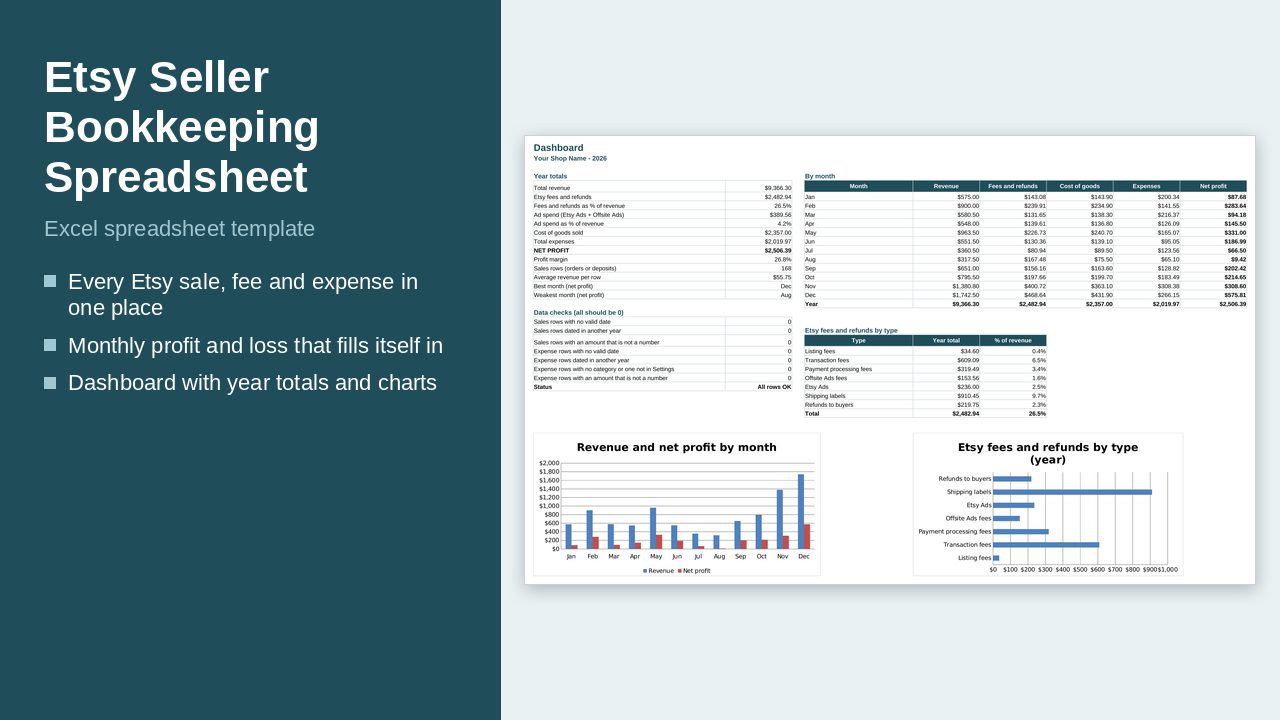
Type your orders, fees and expenses. The file adds them up into a monthly profit and loss sheet and a dashboard with charts. Built for US sellers: amounts are in dollars (USD).
What it does
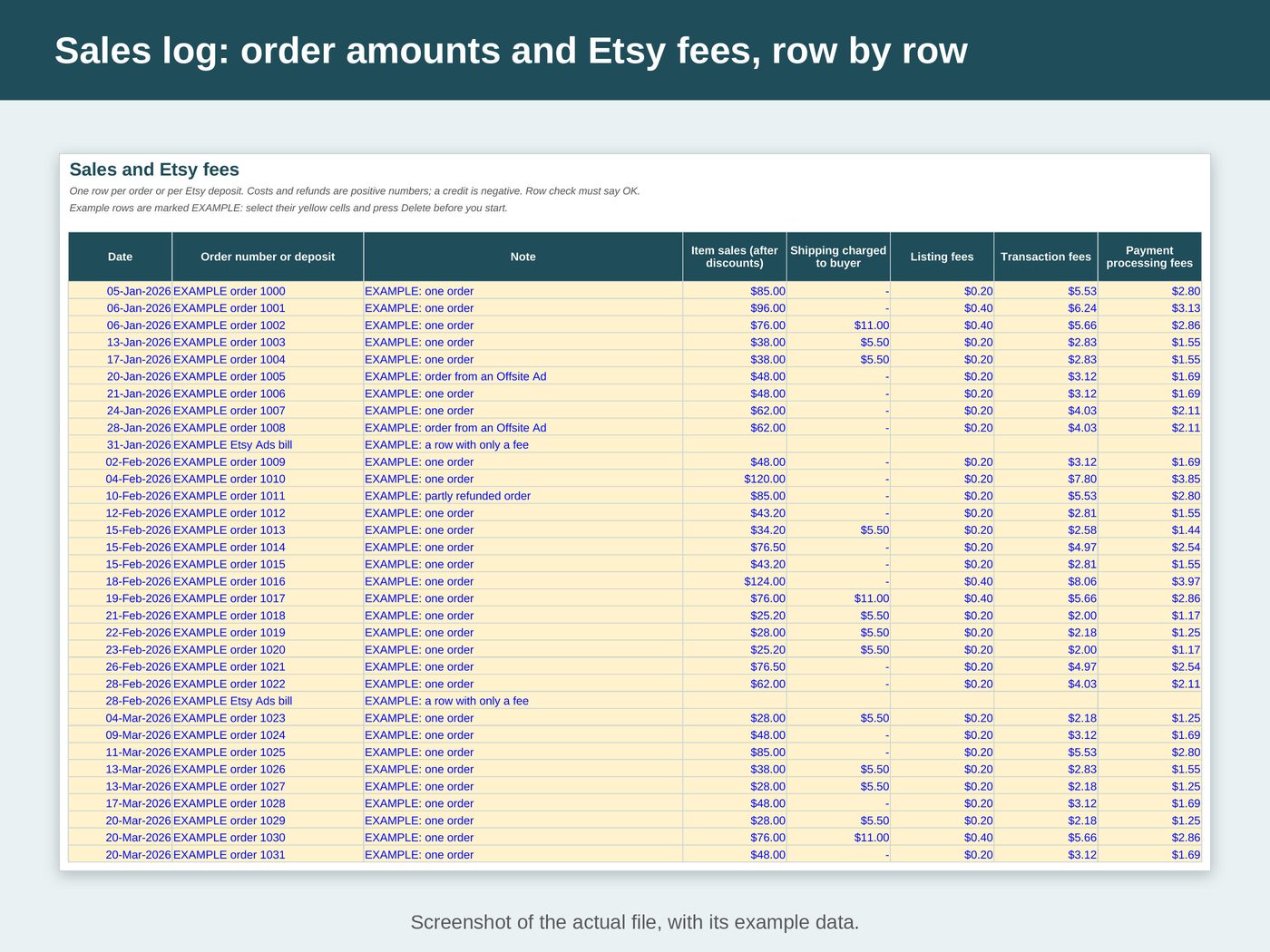
- One row per Etsy order or per Etsy deposit: item sales, shipping charged, listing fees, transaction fees, payment processing fees, Offsite Ads fees, Etsy Ads, shipping labels, refunds and cost of goods
- A row can hold only a fee, for example your Etsy Ads bill
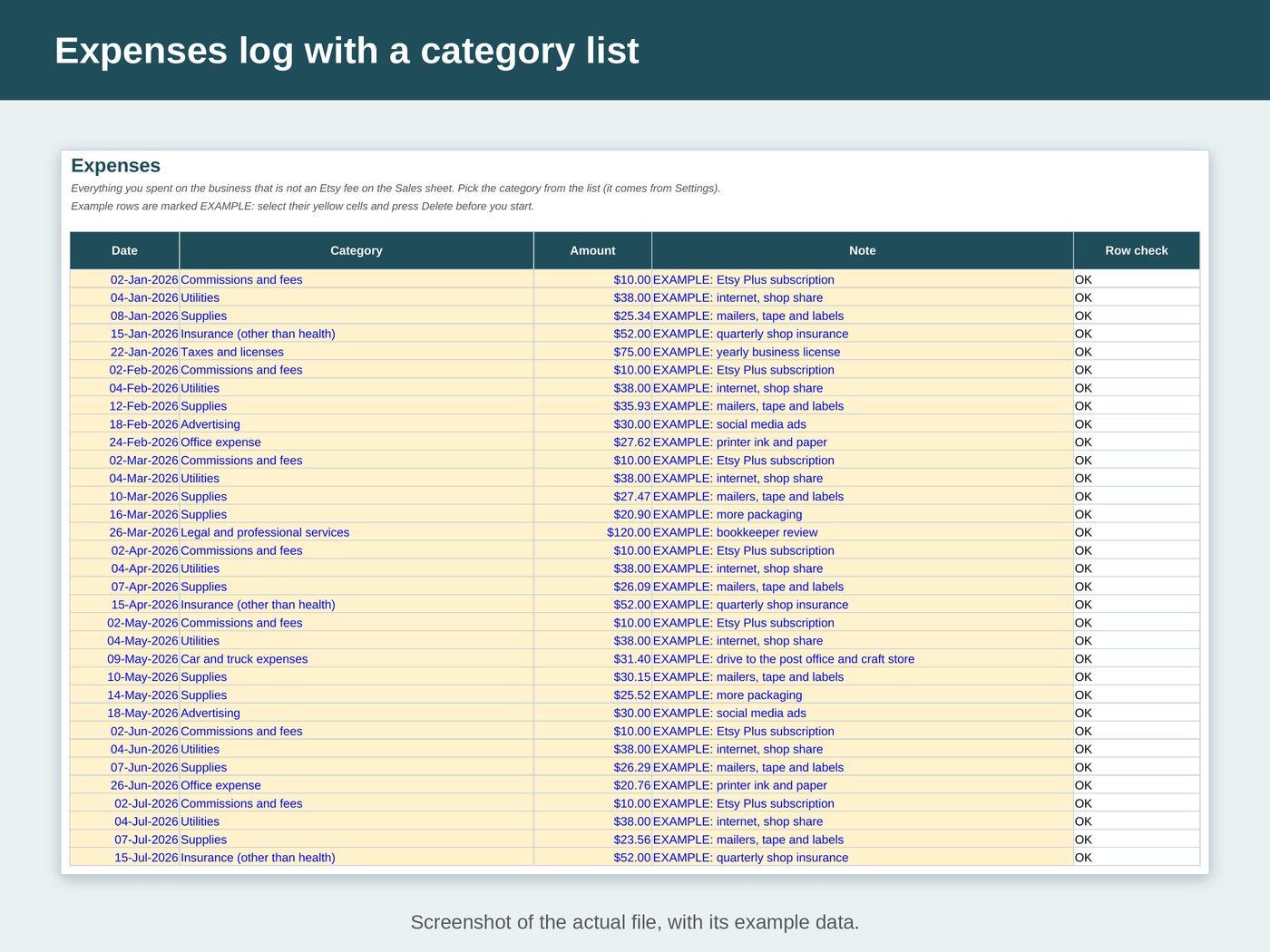
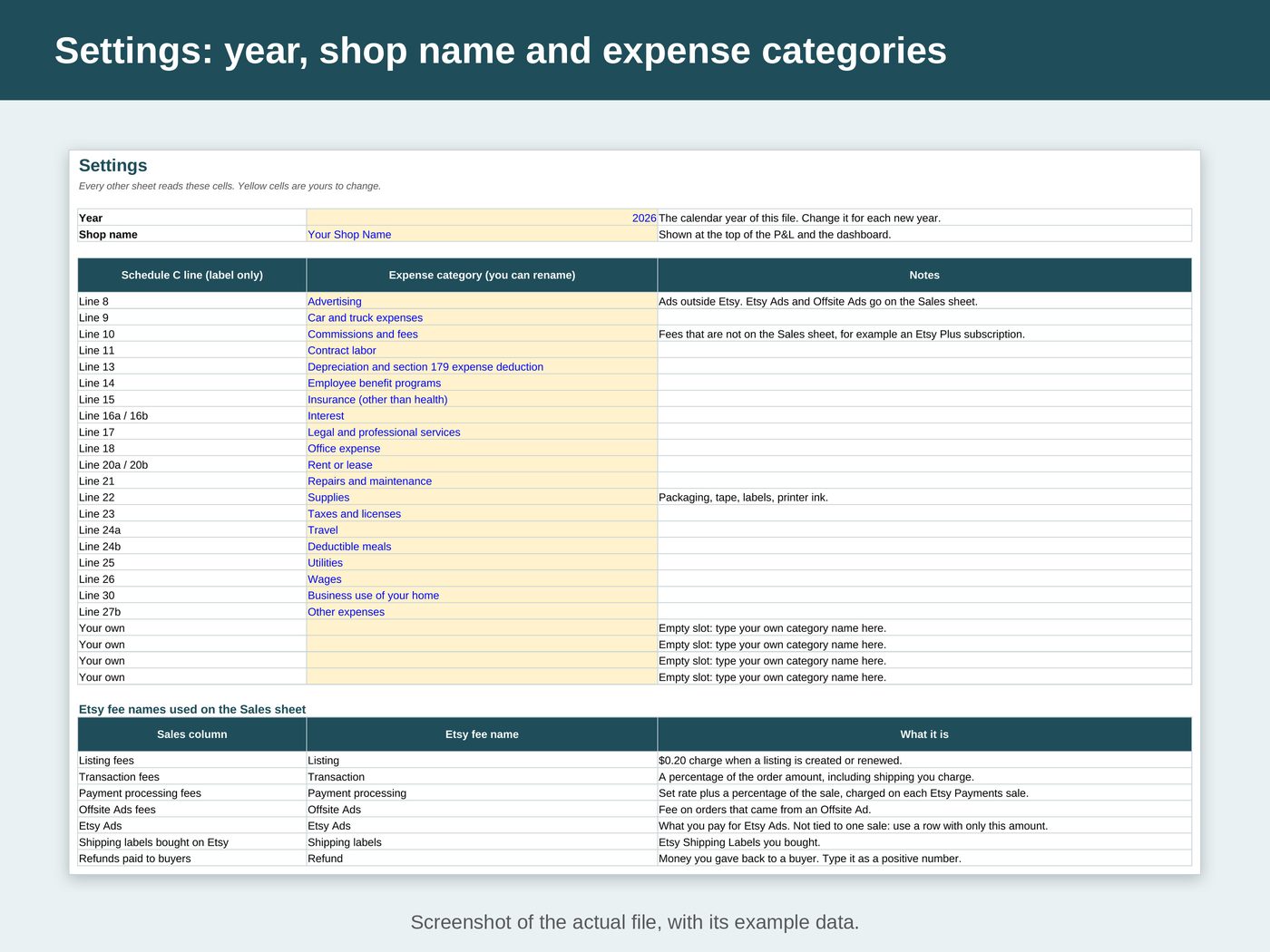
- A separate expense log for everything else you buy for the business, with 24 category slots: 20 named after IRS Schedule C lines (as labels only) and 4 empty slots for your own
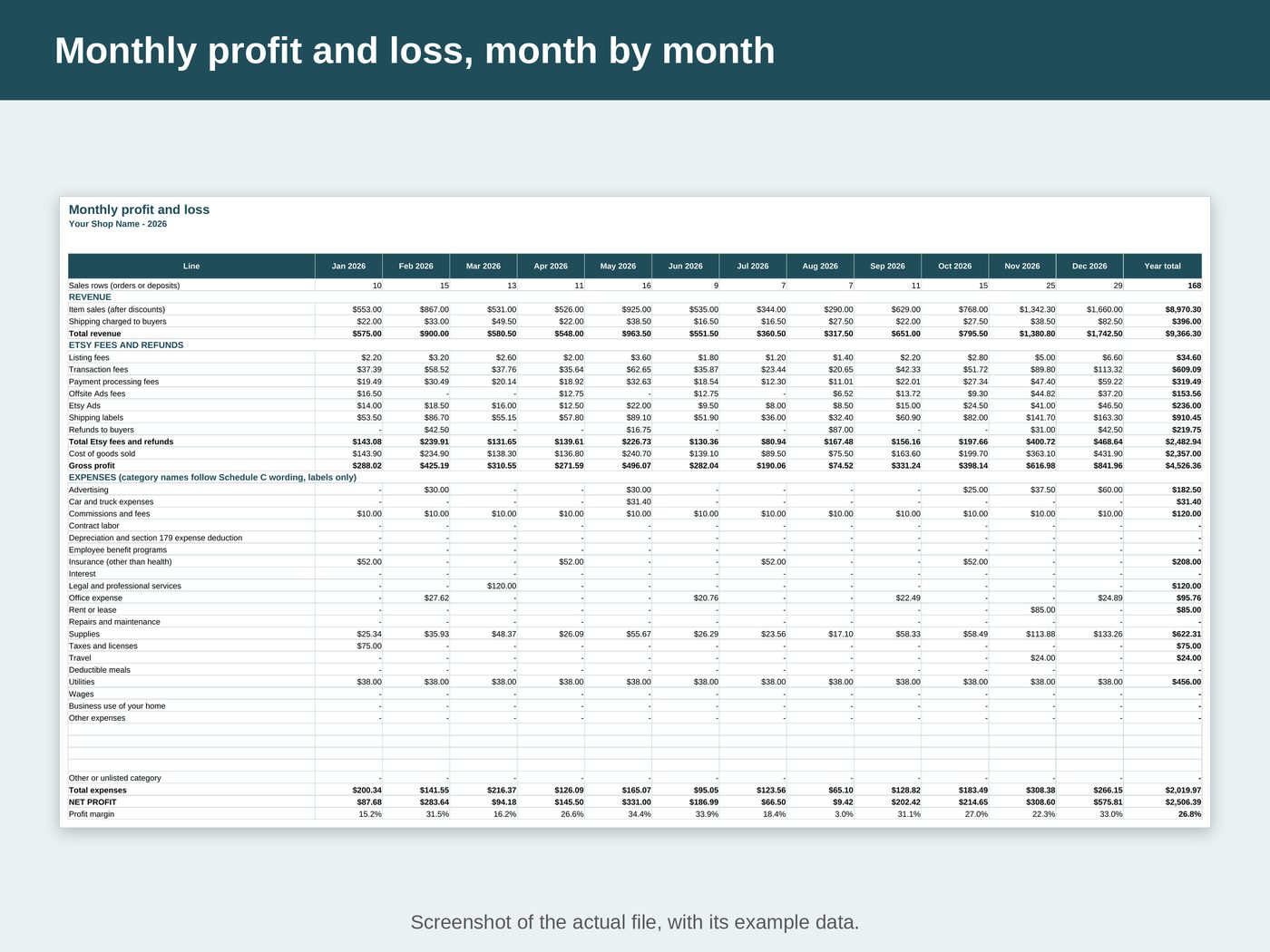
- Monthly profit and loss: revenue, each Etsy fee, cost of goods, each expense category, net profit and profit margin, month by month
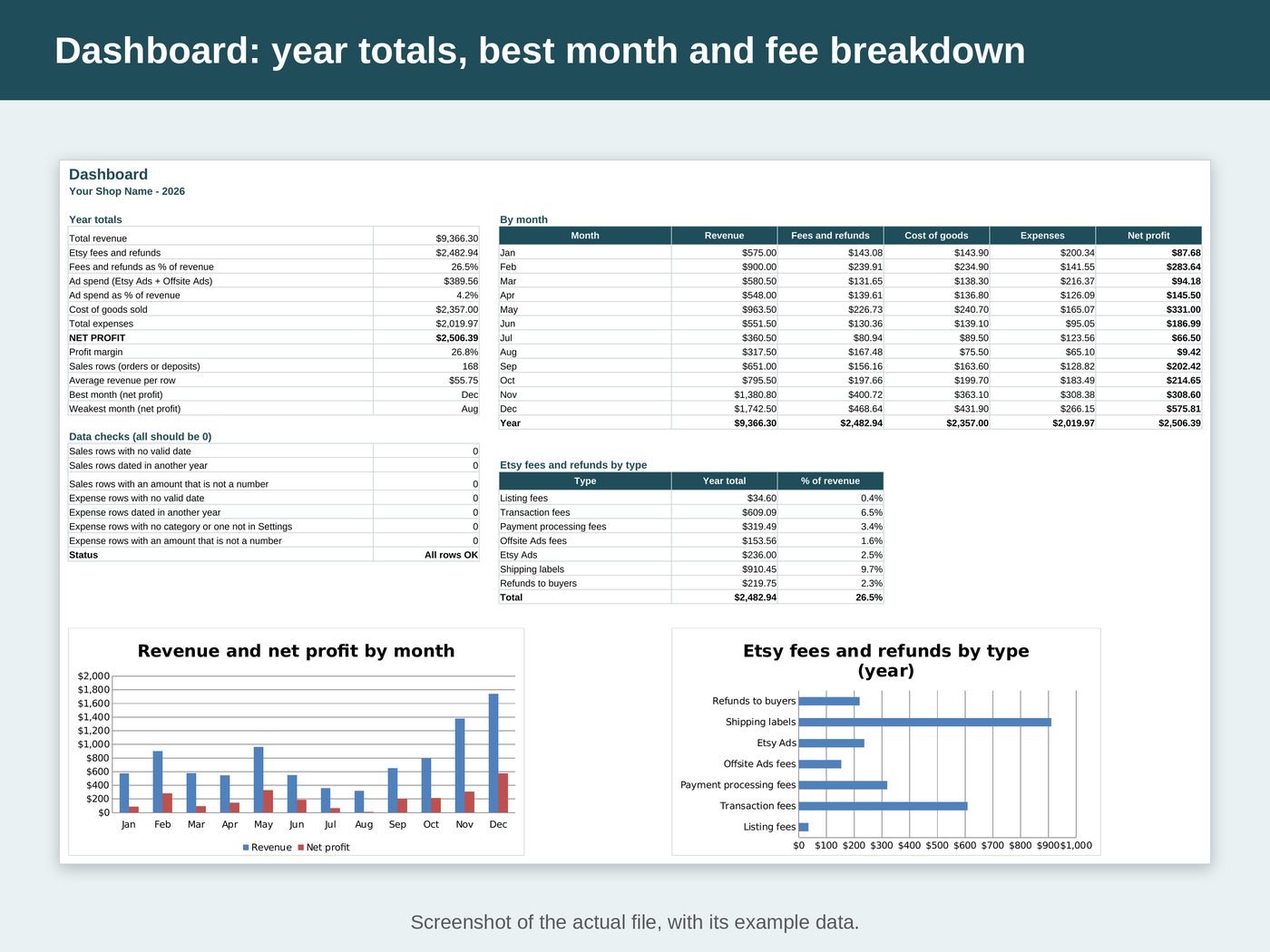
- Dashboard: year totals, best and weakest month, Etsy fees by type, and 2 charts
- A "Row check" column says OK or tells you what to fix, and the dashboard counts the rows that need fixing
See inside the file
What's inside
- "Start Here": set-up steps, how to read the results and a colour key
- "Settings": the year, your shop name and the expense categories
- "Sales": one row per order or deposit, with the Etsy fee columns
- "Expenses": date, category from the list, amount and note
- "Monthly P&L": revenue, fees, cost of goods, expenses and net profit for each month
- "Dashboard": year totals, best and weakest month, data checks and charts
Works with
- Microsoft Excel 2010 or later
- Google Sheets (free): upload the file to Google Drive and open it with Google Sheets
- No macros, no add-ons
Good to know
- The logs hold 2,500 sales rows and 1,500 expense rows with formulas ready. A made-up year of example rows, all marked EXAMPLE, shows how to fill a row; select their yellow cells and press Delete before you start.
- One file per calendar year. Rows dated in another year are not counted.
- White cells are calculated and locked, so formulas cannot break by accident. Sheets are protected without a password if you need to sort a log.
- This file does not import Etsy's CSV downloads. You type the amounts from your Etsy Payment account or your monthly statement, or paste values from a CSV into the yellow cells.
- Etsy fee names follow Etsy Help. Etsy can change its fees: the file never calculates a fee, it adds up the amounts you type.
- NOT TAX ADVICE. This is a record-keeping tool and it calculates no tax. Expense category names follow the wording of IRS Schedule C (Form 1040), 2025 edition, as labels only. A category here does not mean an expense is deductible. Ask a tax professional about your own situation.