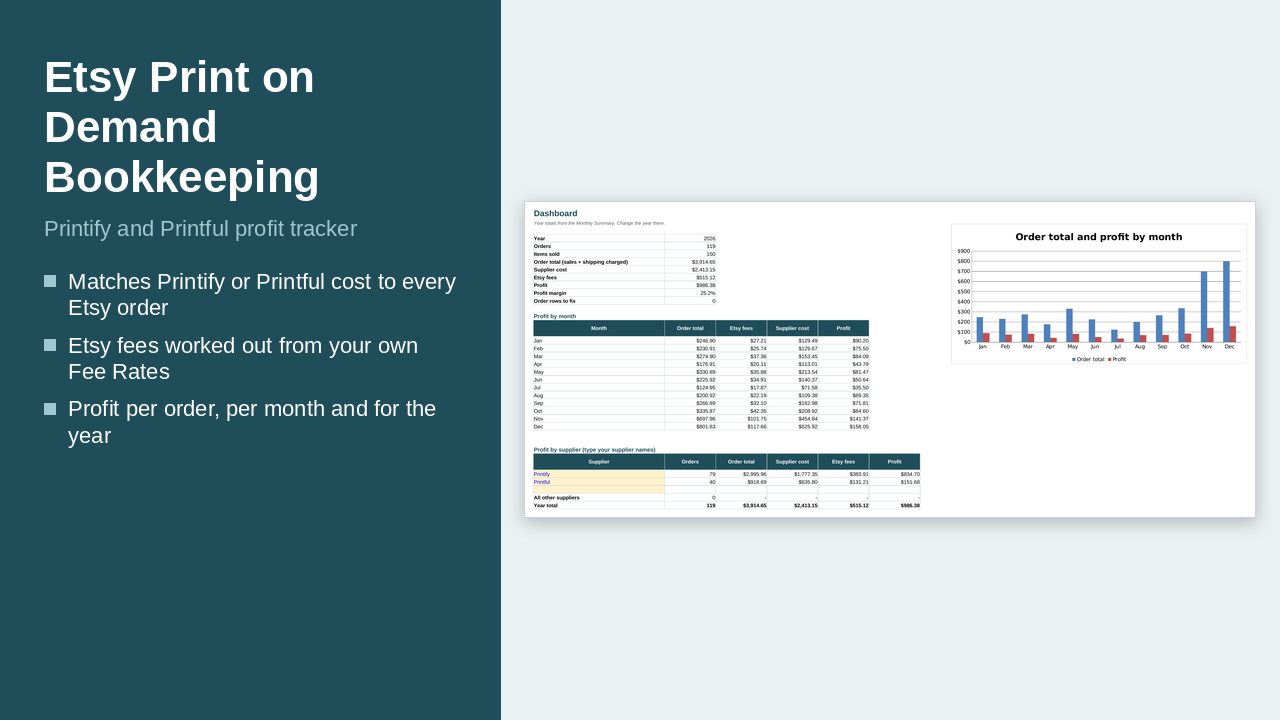
Type the base cost and shipping from your Printify or Printful product page once. Then add one row per Etsy order. The file looks up the supplier cost, works out the Etsy fees from the rates you set, and shows your profit per order, per month and for the year.
What it does
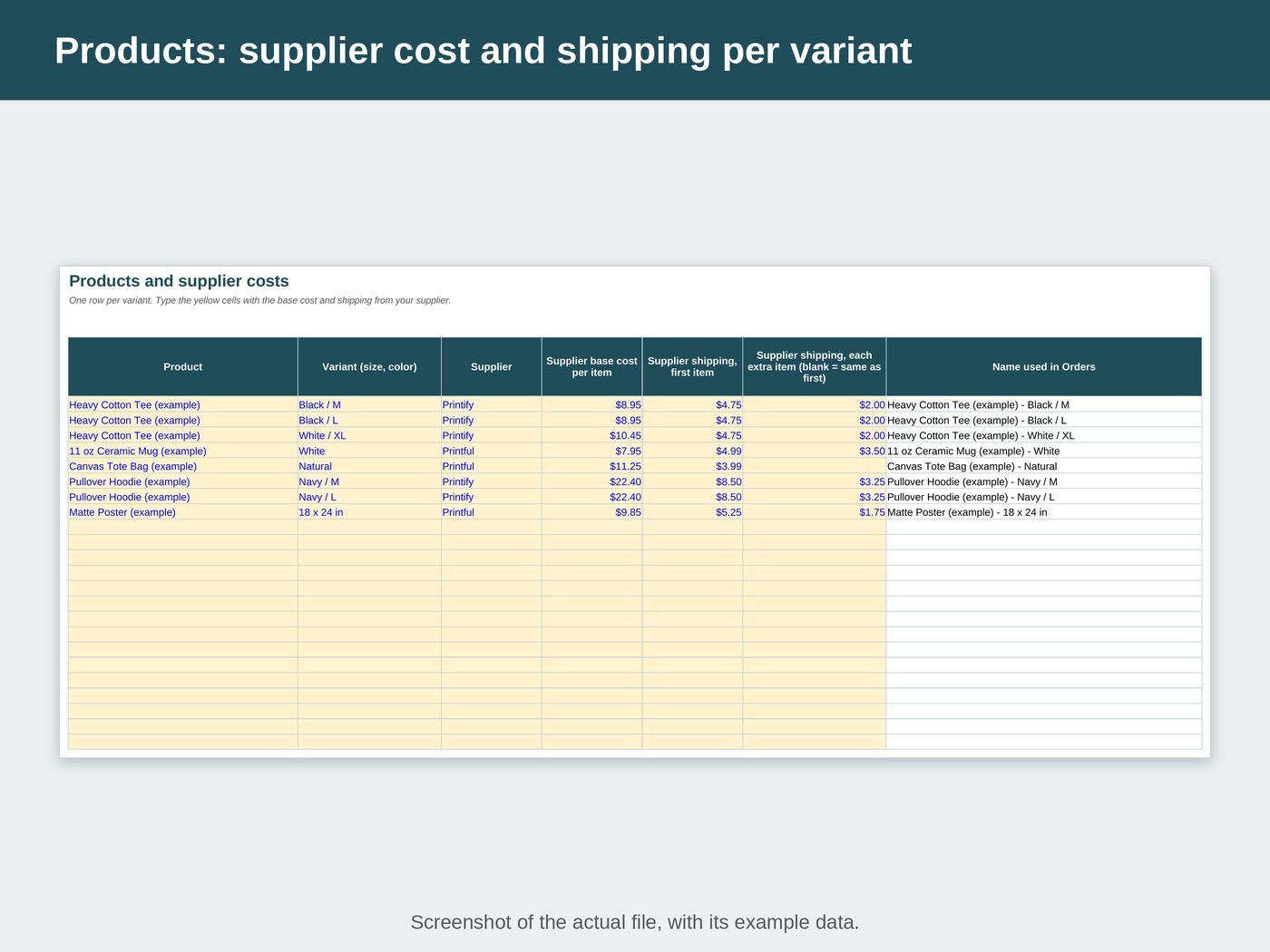
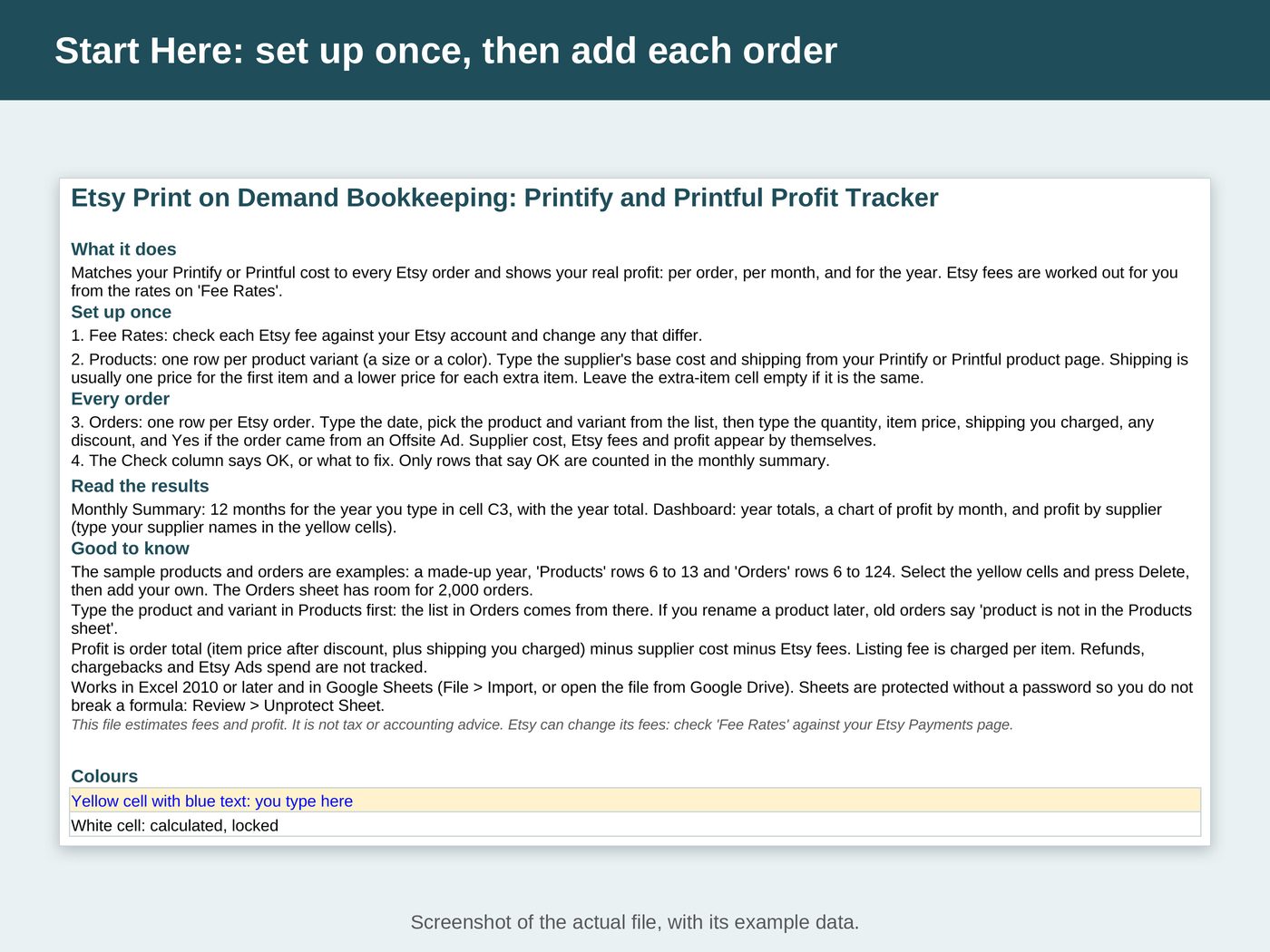
- Products: one row per product variant (a size or a color) with the supplier's base cost, the shipping for the first item and the shipping for each extra item (leave it empty if it is the same)
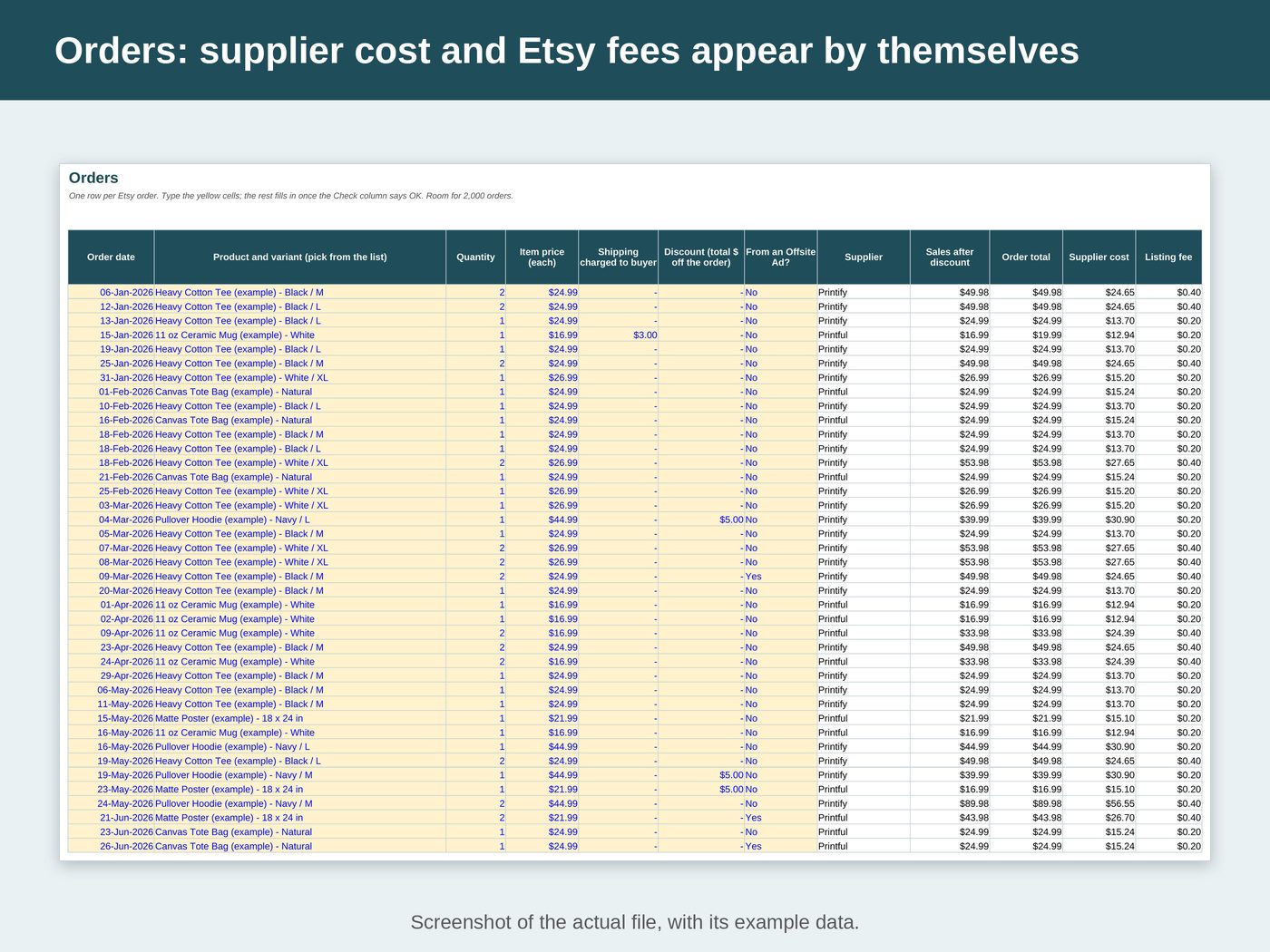
- Orders: one row per Etsy order. Type the date, pick the product and variant from the list, then type the quantity, item price, shipping you charged and any discount, and say Yes if the order came from an Offsite Ad
- Supplier cost, Etsy fees (listing, transaction, payment processing, Offsite Ads and currency conversion) and profit appear by themselves
- A Check column says OK or what to fix. Only rows that say OK are counted in the monthly summary
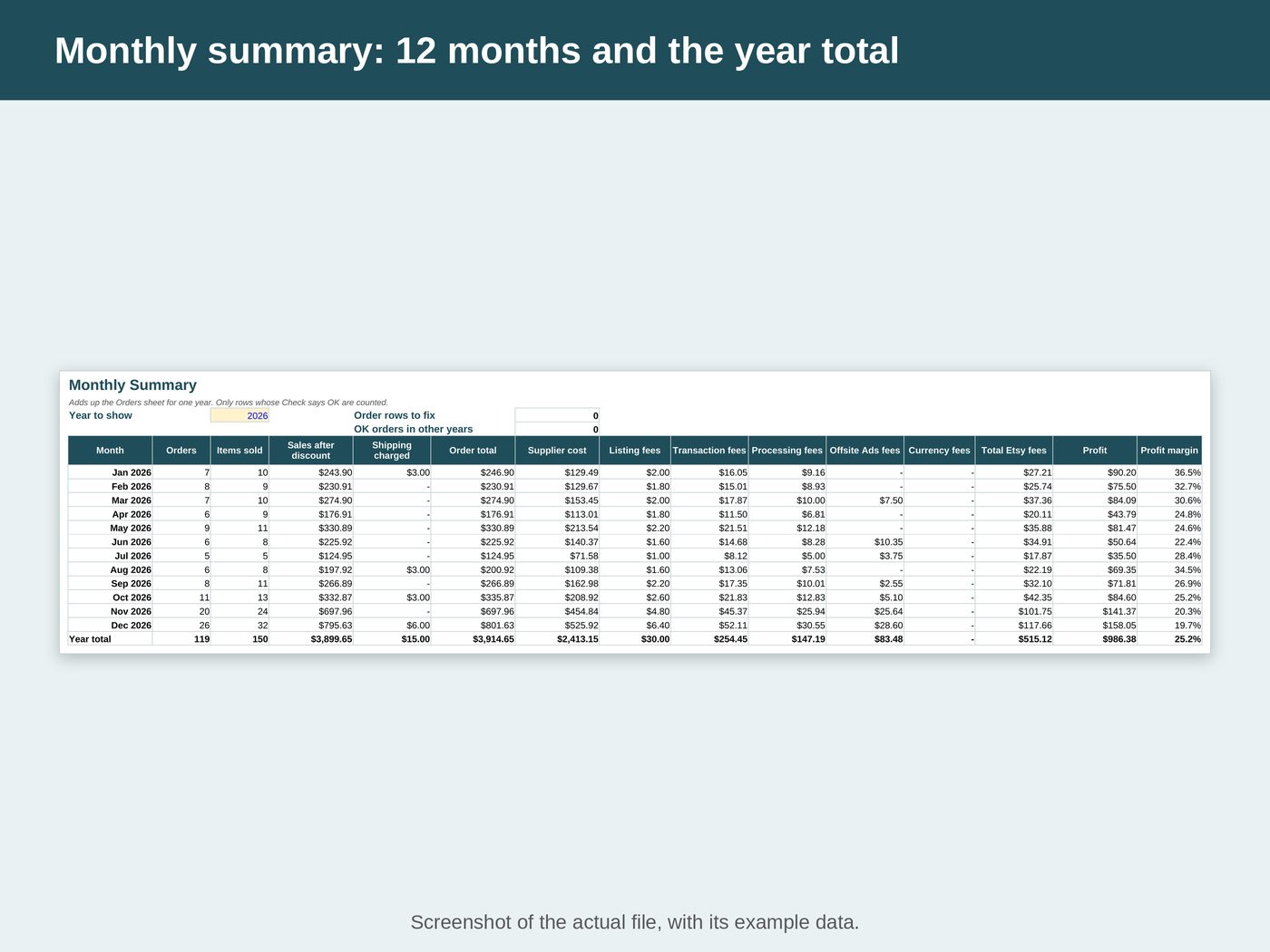
- Monthly summary: 12 months for the year you type, with the year total
- Dashboard: year totals, a chart of order total and profit by month, and profit by supplier
See inside the file
What's inside
- "Start Here": set-up steps, how to read the results and a colour key
- "Products": product variants with supplier cost and shipping, up to 200 variants
- "Orders": one row per Etsy order, with room for 2,000 orders
- "Monthly Summary": orders, items sold, sales, shipping, supplier cost, each Etsy fee, profit and margin for each month
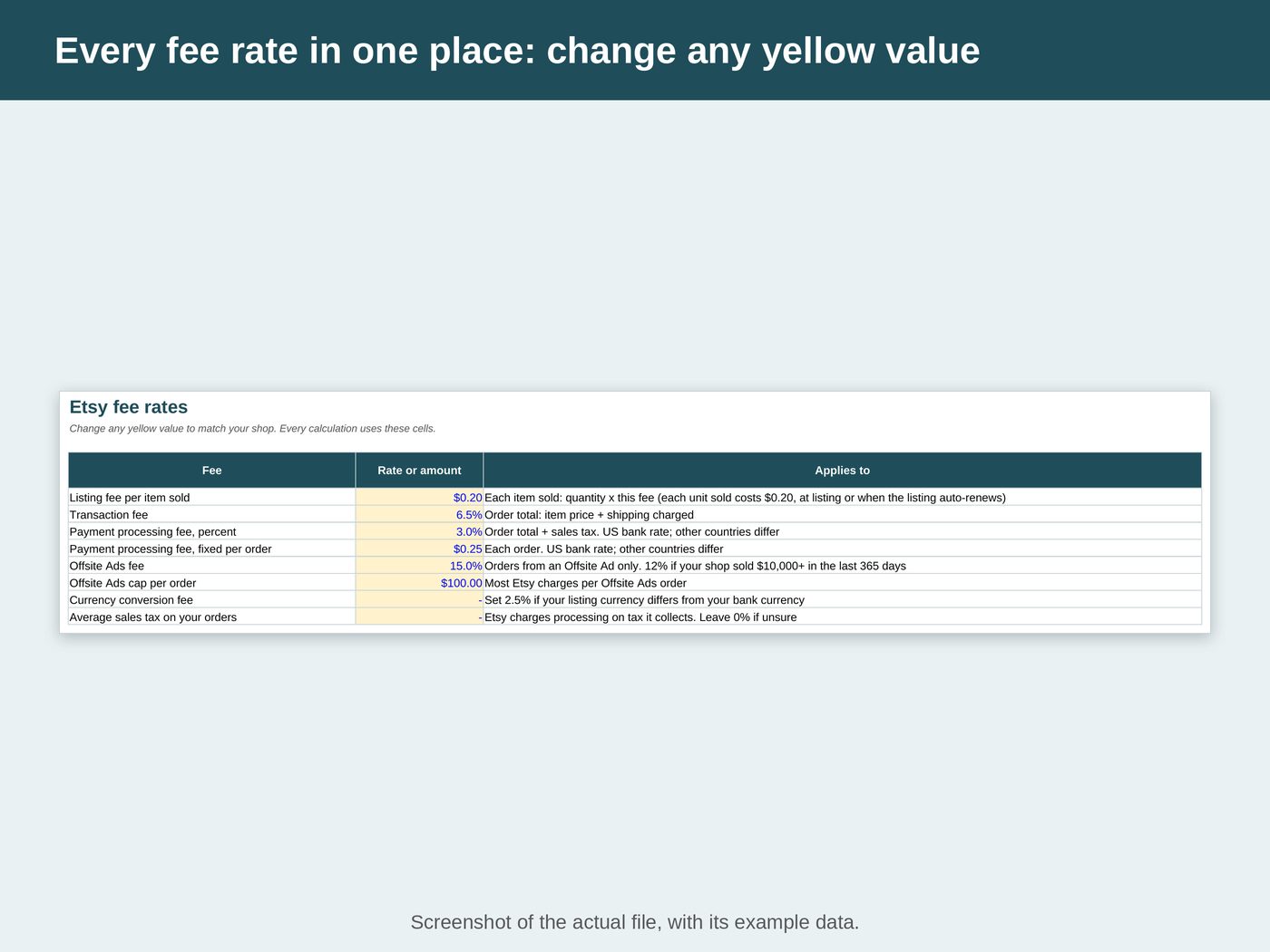
- "Fee Rates": every Etsy rate in one place with its source on Etsy Help. Change any rate to match your shop
- "Dashboard": year totals, a chart, and profit for up to 3 suppliers you name, with all other suppliers grouped
Works with
- Microsoft Excel 2010 or later
- Google Sheets (free): open the file from Google Drive, or use File > Import
- No macros, no add-ons
Good to know
- You type the supplier's costs. The file does not connect to Printify, Printful or Etsy, and it is not affiliated with them. Printify and Printful are named because they are the suppliers used in the examples.
- Profit is the order total (item price after discount, plus the shipping you charged) minus the supplier cost minus Etsy fees. The listing fee is charged per item.
- Refunds, chargebacks and Etsy Ads spend are not tracked.
- Type each product and variant in "Products" first: the list in "Orders" comes from there. If you rename a product later, old orders say that the product is not in the Products sheet.
- The sample products and orders are examples. Select the yellow cells and press Delete, then add your own.
- Fee Rates start at Etsy's US rates as published on Etsy Help in October 2026. Sellers outside the US should change the payment processing rate to their country's rate.
- White cells are calculated and locked, so formulas cannot break by accident. Sheets are protected without a password.
- This file estimates fees and profit. It is not tax or accounting advice. Etsy can change its fees: check "Fee Rates" against your Etsy Payments page.